Learn how to set up the Woojer MAT for meditation. Discover vibroacoustic technology, binaural beats, headphone pairing, frequency experiments, and exclusive savings with code INFINITE10.
How to Set Up the Woojer MAT for Meditation: A Complete Guide to Vibroacoustic Sound Experiences
Experience sound beyond listening. The Woojer MAT brings immersive vibroacoustic technology into your personal meditation space, allowing you to experience audio through both sound and physical vibration.
When paired with binaural beats, meditation music, low-frequency tones, and carefully designed soundscapes, it creates a unique sensory environment for relaxation, mindfulness, and deeper meditation experiences.
At Infinite Meditation, we explore the relationship between sound, frequencies, consciousness, and the body's response to vibration. The Woojer MAT is an exciting addition to this approach, giving you another way to experience the sounds and frequencies that accompany your meditation practice.
In this guide, we'll walk through setting up your Woojer MAT, connecting your audio devices, optimizing your listening environment, and pairing it with Infinite Meditation's experimental brain entrainment and binaural beat recordings.
EXCLUSIVE SAVINGS: Use our stackable discount code INFINITE10 for an additional 10% off your Woojer purchase, even when taking advantage of current Woojer sales and promotions.


What Is the Woojer MAT?
The Woojer MAT is a high-fidelity haptic wellness mat designed to transform compatible audio signals into physical vibrations. Instead of simply hearing music through headphones or speakers, you can experience low-frequency sound as tactile sensations throughout your body.
This technology is known as vibroacoustics, an approach that combines sound and physical vibration.
The Woojer MAT can be incorporated into several activities:
-
Meditation and mindfulness practices
-
Binaural beat listening sessions
-
Brainwave entrainment experiments
-
Relaxation and breathwork
-
Immersive music and soundscape experiences
-
Personal wellness and recovery routines
One particularly interesting application is combining the Woojer MAT with specially designed audio containing low-frequency components alongside binaural beats and atmospheric sound layers.
This creates an experience where your headphones deliver the stereo audio while the MAT provides an additional physical dimension.

Step 1: Unbox and Position Your Woojer MAT
Begin by removing your Woojer MAT and accessories from the packaging.
Find a comfortable, quiet location where you can relax without interruptions.
Recommended placement:
-
A supportive bed
-
A comfortable sofa
-
Another suitable soft, supportive surface
Avoid placing the MAT directly on hard floors or rigid furniture, as recommended in the manufacturer's setup instructions. My carpeted meditation space works great however!
Position the mat so you can comfortably lie down with your body centered on its surface.
The goal is to create a dedicated space where you can relax and experience the vibrations without unnecessary distractions.
Step 2: Connect the Power Supply
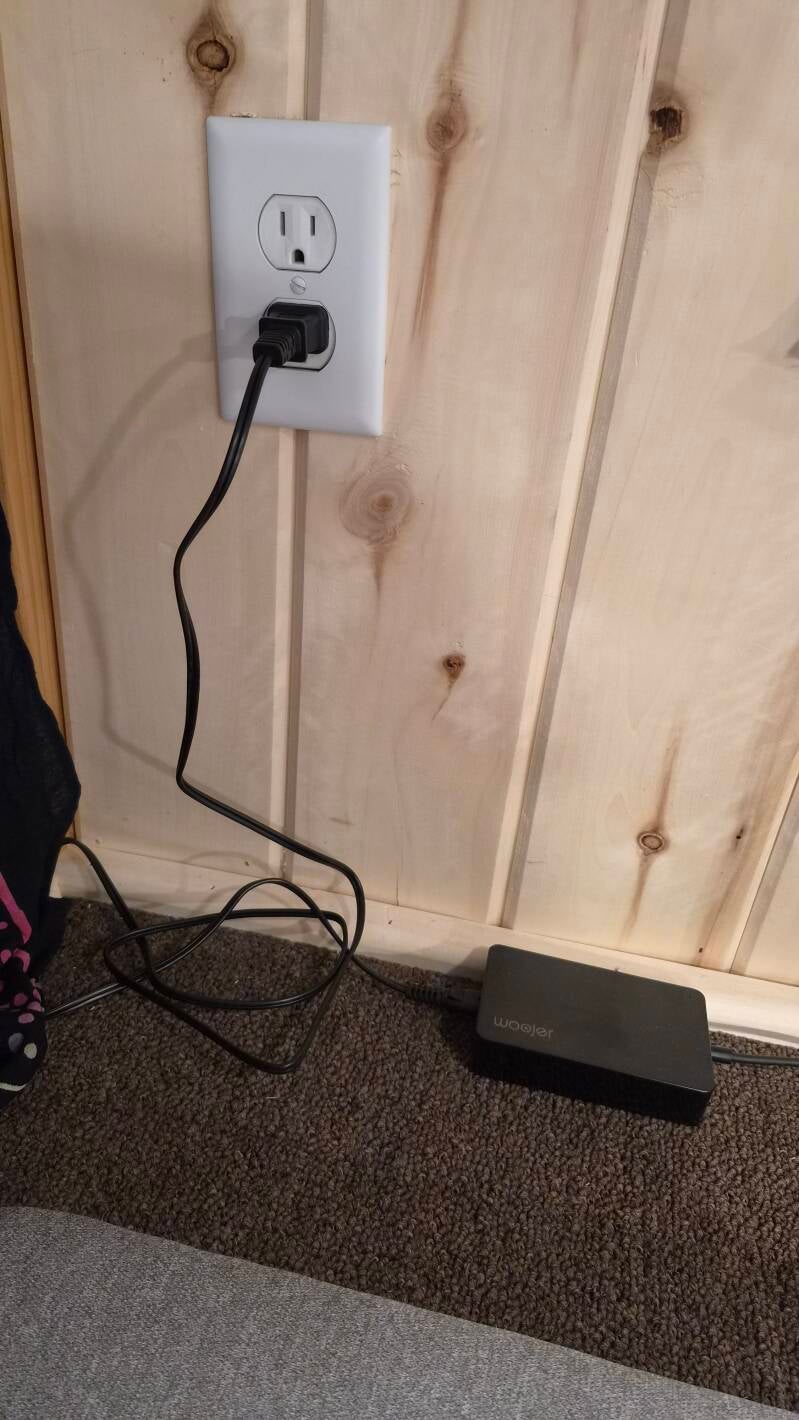
Connect the included power adapter to the Woojer MAT's USB-C power supply port and the mat directly into the wall!
The MAT requires an appropriate power source during operation.
Make sure the power connection is secure before proceeding.
Once connected, you're ready to connect your audio source.
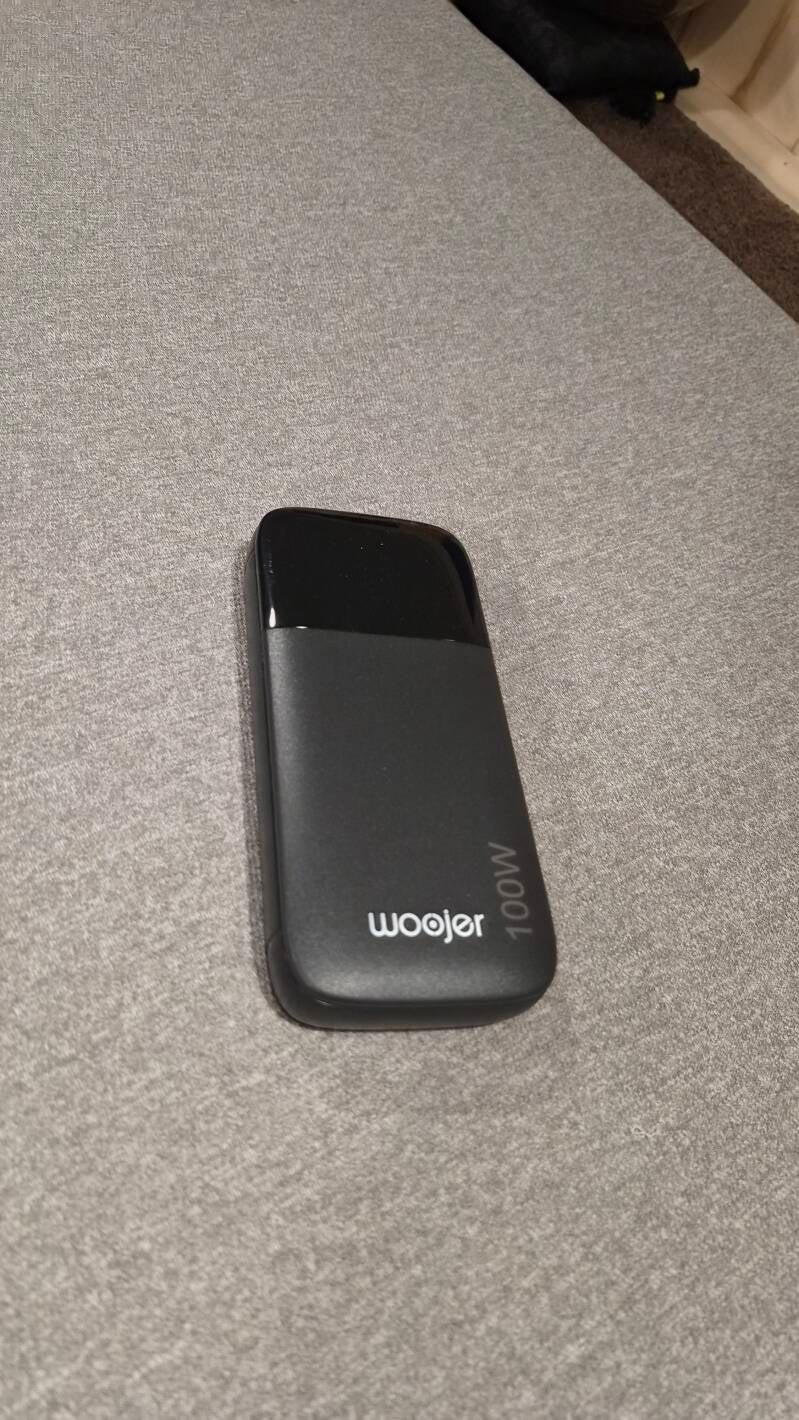
Or use the WOOJER POWER BANK! Great for outdoor meditation!
Step 3: Connect Your Phone, Tablet, or Computer
One of the advantages of the Woojer MAT is its compatibility with different audio sources.
You can connect through Bluetooth, a 3.5mm audio cable, or USB-C.
Option A: Bluetooth Connection
For a wireless setup:
-
Make sure your Woojer MAT is powered off.
-
Press and hold the power button for approximately five seconds until the input indicator flashes red and blue.
-
Open Bluetooth settings on your phone, tablet, or computer.
-
Locate and select Woojer MAT.
-
Once connected, the input indicator should become solid blue.
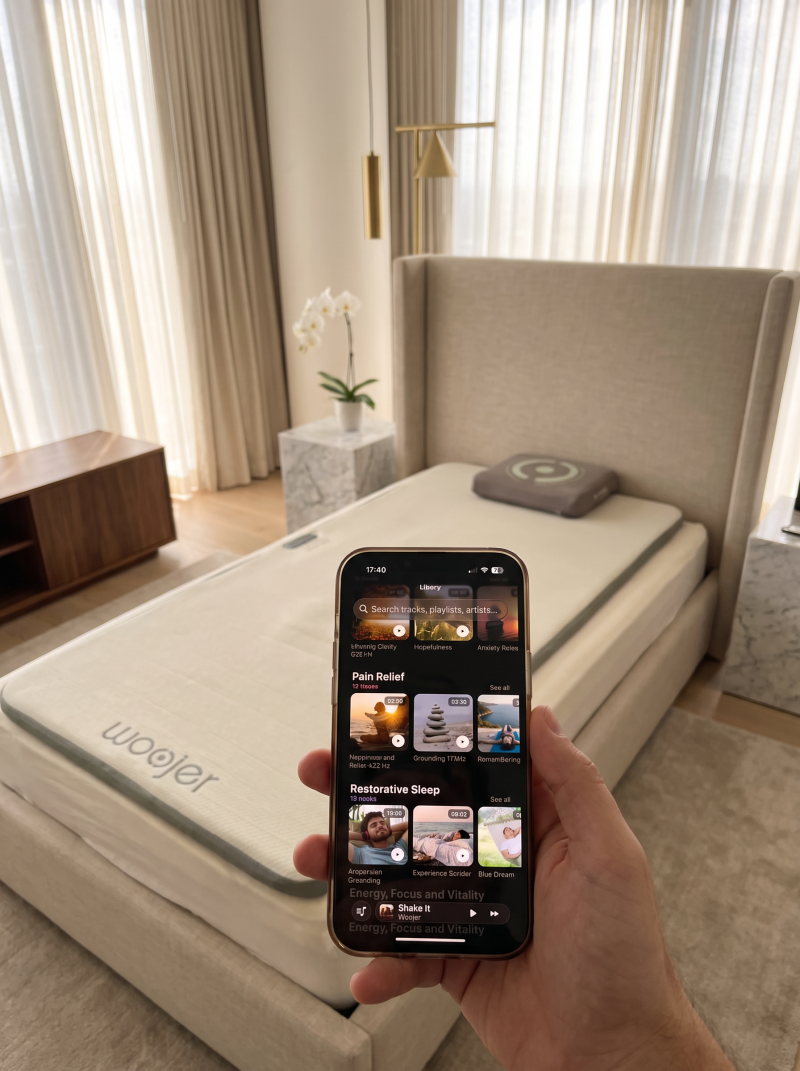
You can also use the Woojer app to manage supported device functions.
Option B: Wired Audio Connection
If you prefer a wired connection:
-
Connect one end of the 3.5mm audio cable to your audio source.
-
Connect the other end to the Woojer MAT audio input.
-
Confirm that the input indicator shows a successful connection.
Option C: USB-C Audio Connection
For compatible computers and devices:
-
Connect a USB-C cable to your audio source.
-
Connect the other end to the MAT's digital USB-C input.
-
Select the Woojer MAT as your audio output if required by your device.
Choose whichever connection method works best for your meditation environment.
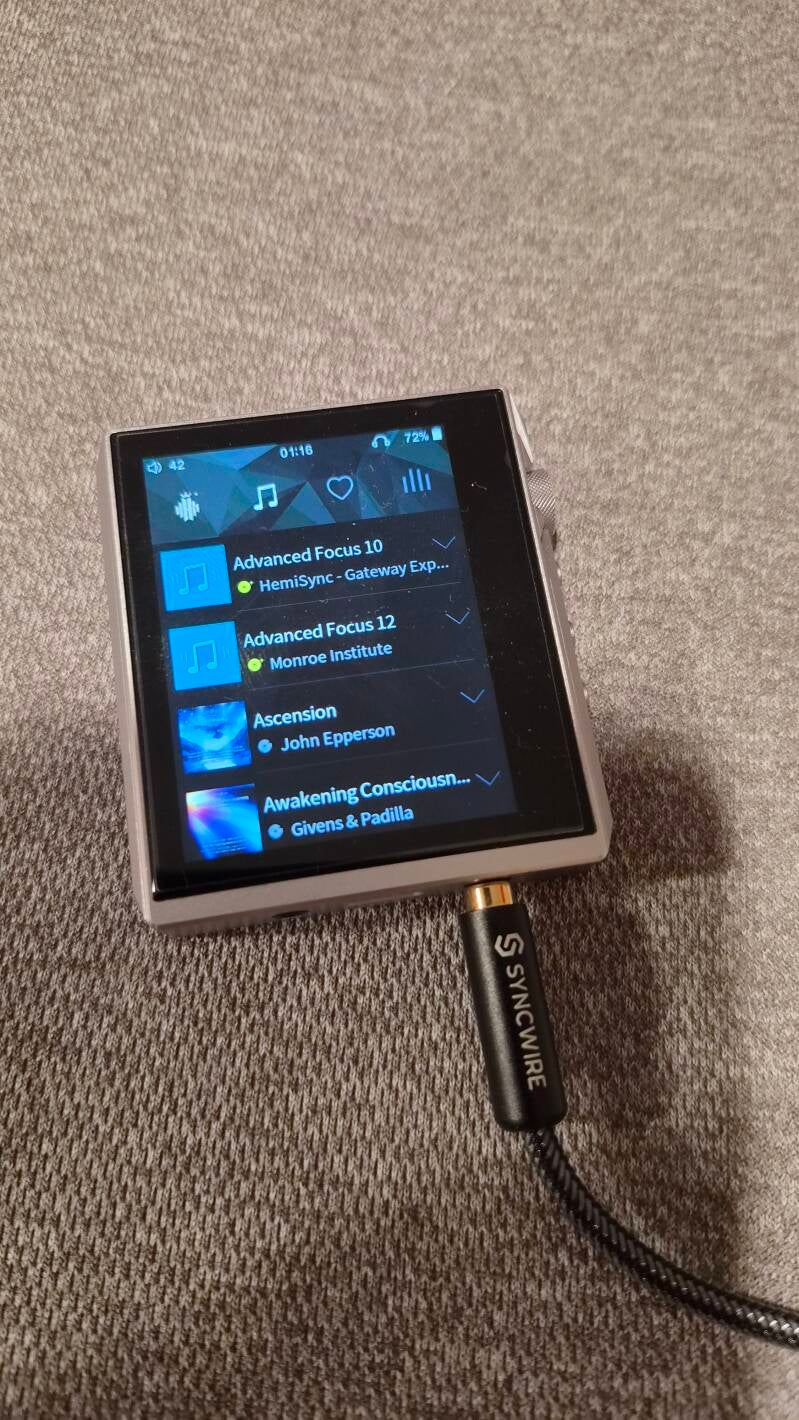
Option D: Mp3 Player
You can Also use an external MP3 Player, this is where I have my Monroe Institute Gateway tapes stored!
Step 4: Choose Your Headphones or Speakers
Now comes one of the most important parts of building an immersive meditation setup.
You can experience the Woojer MAT with headphones, external speakers, or its physical vibrations independently.
For Infinite Meditation's binaural beat recordings, we recommend using quality stereo headphones.
Why?
Binaural beats rely on delivering slightly different frequencies to the left and right ears. Stereo separation is therefore important for experiencing the intended binaural audio.
A recommended setup is:
-
Woojer MAT for tactile low-frequency vibrations.
-
Stereo headphones for binaural beats and atmospheric audio.
-
A phone, tablet, or computer as your audio source.
You can also connect headphones or speakers directly to the MAT's audio output using the supported Bluetooth or wired connection methods.
For Bluetooth headphone pairing through the MAT, hold the power and volume-up buttons together for approximately five seconds until the output indicator flashes red and blue. Put your headphones into pairing mode and allow them to connect.
Experiment with your preferred configuration to find the most comfortable listening experience.
Step 5: Explore Infinite Meditation's Binaural Beats and Frequencies
This is where things become particularly interesting.
At Infinite Meditation, we create experimental sound experiences incorporating binaural beats, isochronic tones, frequency layers, atmospheric textures, and low-frequency audio.
These recordings can be explored alongside the Woojer MAT to introduce another sensory dimension to your meditation practice.
Consider experimenting with:
Theta Binaural Beats
Theta-range binaural beat experiences are commonly incorporated into meditation and relaxation audio. Experiment with different stereo frequency differences while allowing yourself to settle into a comfortable listening environment.
Delta Binaural Beats
Delta-range audio is frequently used in sleep-oriented and deep relaxation soundscapes.
Solfeggio Frequencies
Explore recordings incorporating traditional Solfeggio frequency associations, including 396 Hz, 417 Hz, 528 Hz, 639 Hz, 741 Hz, and 852 Hz.
Low-Frequency Vibroacoustic Audio
Low-frequency components can create the physical sensations that make the Woojer experience distinctive. Try different sound compositions and notice which intensity and audio textures you prefer.
For the best experience with binaural recordings, remember that the stereo headphone signal and the MAT's vibration output serve different purposes.
You can explore our experimental meditation recordings on the Infinite Meditation YouTube channel.
Step 6: Fine-Tune Your Woojer MAT Settings
Don't immediately turn everything up to maximum intensity.
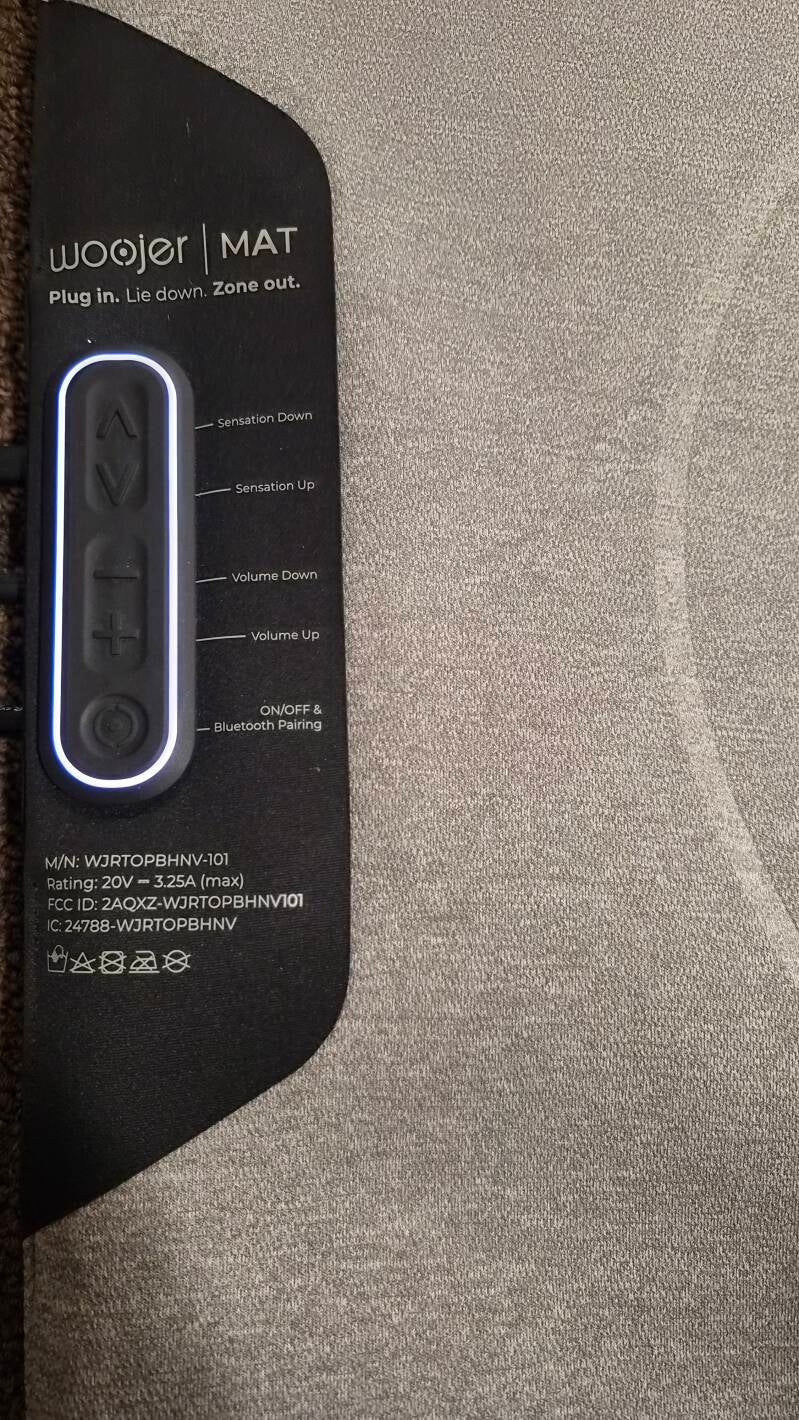
Start with a low-to-moderate vibration setting and gradually adjust until the sensation feels comfortable.
Experiment with:
-
Different vibration intensity levels.
-
Different types of meditation music.
-
Low-frequency sound compositions.
-
Binaural beat recordings.
-
Different body positions.
-
Headphone and speaker configurations.
Every recording has a different audio structure, so some tracks may produce more noticeable physical sensations than others.
The objective is to create a comfortable, immersive experience rather than overwhelming yourself with vibration.
You can control the levels manually or use the App!
Step 7: Create Your Personal Meditation Environment
The Woojer MAT can become a central part of a dedicated meditation space.
Consider combining it with other elements:
-
A comfortable meditation room.
-
Soft ambient lighting.
-
Incense or essential oil diffusers.
-
An eye mask to minimize visual distractions.
-
Stereo headphones.
-
A curated collection of binaural beats and meditation recordings.
-
A consistent meditation routine.
You can also experiment with pairing your Woojer MAT with other wellness technologies, such as PEMF mats and additional sound-based meditation equipment.
At Infinite Meditation, we enjoy exploring how different sensory elements can be combined to create more immersive meditation environments.

Get More From Your Woojer MAT with Infinite Meditation
The Woojer MAT opens up interesting possibilities for people who enjoy exploring sound, frequencies, meditation, and immersive audio.
Rather than treating meditation music as something you simply listen to, you can experiment with experiencing compatible low-frequency audio through physical vibration as well.
Our goal at Infinite Meditation is to explore the fascinating intersection of sound design, brainwave entrainment, binaural beats, frequencies, and consciousness.
Whether you're beginning your meditation journey or expanding an established wellness space, combining the Woojer MAT with carefully selected audio can offer a new way to engage with your favorite sound experiences.
🔥 Exclusive Woojer Discount Code: INFINITE10
Looking to add the Woojer MAT to your meditation setup?
We've partnered with Woojer to share an exclusive discount with the Infinite Meditation community.
Use our exclusive stackable discount code: INFINITE10
Enjoy an additional 10% OFF your Woojer purchase, including when taking advantage of eligible current Woojer sales and promotions.
Why pay more when you can combine available savings?
Here's how to claim your discount:
-
Visit the official Woojer website.
-
Choose your Woojer MAT.
-
Add the product to your cart.
-
Enter INFINITE10 in the discount code field at checkout.
-
Confirm your additional savings before completing your purchase.
SHOP WOOJER MAT:
https://www.infinitemeditationhealing.com/woojer-mat
Use code INFINITE10 for an additional 10% off eligible current promotions.
Discount eligibility and promotional terms are subject to Woojer checkout conditions.
Final Thoughts: Experience Sound in a Different Way
The combination of vibroacoustic technology and experimental meditation audio creates exciting opportunities for exploring sound beyond traditional listening.
The Woojer MAT gives you a way to incorporate tactile vibrations into your personal meditation environment, while binaural beats, atmospheric soundscapes, and frequency-based recordings add another layer to the experience.
Experiment, explore, and discover the combinations that work best for your own practice.
Experience the frequencies. Feel the vibrations. Explore consciousness.
Welcome to Infinite Meditation.
Relax. Recharge. Explore.